Peer Review Process for Group Reviews
Creating Peer Reviews
You will be reviewing other groups work. Every student will be assigned Peer Reviews. For each review there is a Rubric you will use to evaluate other's work. This webpage talks about the GENERAL PROCESS but NOT THE RUBRIC. For that you will read the rubric in Canvas and have an opportun ity to discuss in class and/or office hours with the Instructor
1)Turn in your assigned work as directed on your assignment page
2)Sometime afterwards you will be assigned Peer rviews to Perform. Go to Canvas->Assignment->Assignment X(name of assignment). FOR EACH REVIEWS ASSIGNED TO YOU:
-
Look at the peer's submitted information AND use the rubric to evaluate.
IMPORTANT: If you take off ANY points YOU MUST PROVIDE A COMMENT on why.
IMPORTANT: The instructor will evaluate your peer reviews of others. So, if you give everyone perfect scores and it is not meritted you will get low or even no points for reviewing others.
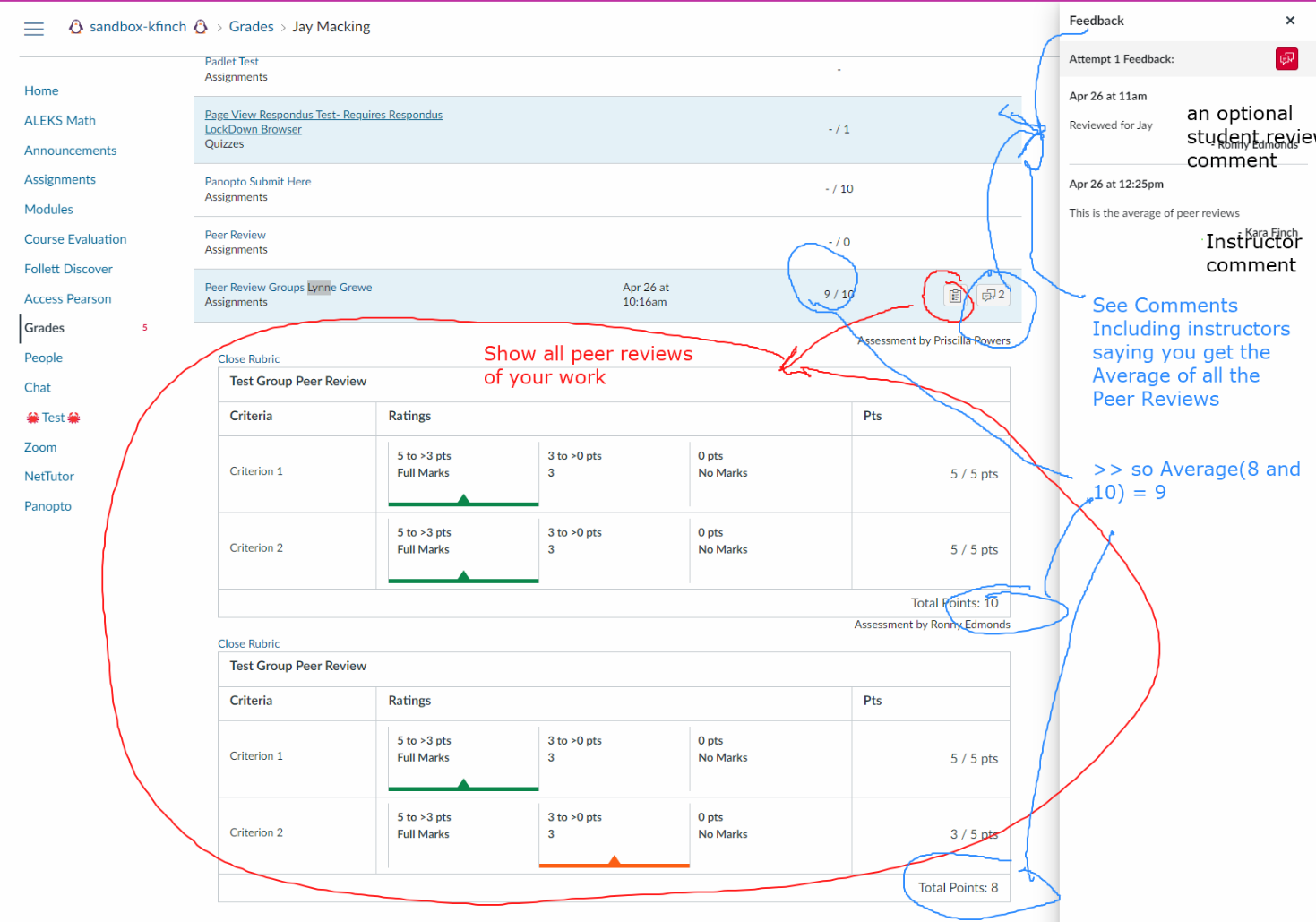
3) You can go to the Gradebook to see your peer reviews
4) Your instructor will use the submitted reviews to determine your final evaluation. Something like the average of peer reviews will be used - however the instructor reserves the right to remove inappropriate reviews, etc.
General Video showing How to do Canvas to create reviews and to see the results of other's reviewing your work(this is NOT our class nor our rubric but, PLEASE look at this as it helps to understand this process)
SPECIAL NOTE:
Peer reviews in Canvas are assigned **individually (not by group)**. Each student has their own set of teams to review.
<<Important (Canvas limitation):>>
Canvas assigns peer reviews at the **student level**, even for group assignments. This means:
* You may be assigned multiple students from the **same team**
* Since they share one submission, this results in reviewing the **same project more than once**
<<What to do:>>
If you are assigned more than one person from the same team, give **consistent scores/comments** for each. Effectively, this reduces the number of unique teams you need to review.
Go to the gradebook to see other's reviews of YOUR work
NOTE: you will only be able to see reviews done against you name -- I will average all reviews made for your team's project